Introduction
When I started Walls development in 1994, I wanted to create a set of tools for constructing complete cave maps that grow dynamically over the years as the surveys themselves grow. If a station moves due to the addition of new or revised survey data, the map features surrounding it should also move. Until Scalable Vector Graphics (SVG) became a Web standard, this wasn't a practical goal due to the lack of a standard file format for high-quality vector artwork. In late 2001, when SVG v1.0 became an official recommendation of the World Wide Web Consortium (W3C), a new version of Adobe Illustrator, Version 10, was released which for the first time could read and write SVG in a roundtrip fashion. It was then much easier for software developers to get their hooks into Illustrator's documents and transform the artwork programmatically. For me, this meant that the morphing of already-drawn features to fit a dynamic cave survey database was finally worth trying to implement.
SVG roundtripping, starting with version 2B7, is the most complex new tool of recent Walls releases. It's also something that only a few users will take advantage of immediately. Support for SVG in drawing programs other than Illustrator is still too limited, a problem made worse by the complexity of these programs. Cave cartographers have been reluctant to try competing software once they've made a commitment. Although SVG roundtripping doesn't flatten this learning curve, it does address a problem affecting both the pen-and-ink and computer approaches. This is that updating an already drawn map of a complex cave is often difficult if not impossible. As a result, some of the largest cave systems have remained in the computer line plot stage for years. What will soon make this hard to justify, I believe, is the ability to create complete cave maps that are truly dynamic in nature.
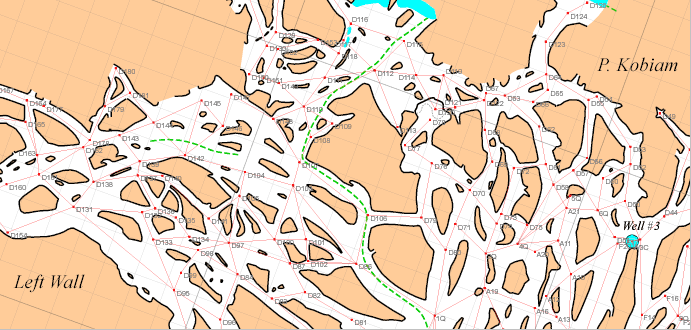
The advantages of SVG roundtripping aren't limited to the task of preparing maps for publication. With loop-intensive caves especially, a major benefit is the ability to easily print detailed views of everything mapped and drawn to date -- possibly on a day-by-day basis while at the cave. A test case where this has been particularly valuable is Actun Kaua, a dense maze cave where freshly-updated, laminated map sheets are carried in on each surveying trip. As you might expect, the cave has also been a test case for blunder detection and correction.
If you are unfamiliar with SVG support in Walls, you should review the following topics in order:
Live Paint and Pattern Support
Instructions for Illustrator Users
Illustrator Limitations and Workarounds
Converting Groups to Layers in Illustrator
Instructions for Users of Other Drawing Programs